metatrader

Introduction

In today’s fast-paced global markets, mobility has become one of the most valuable assets a trader can have. Whether you’re managing multiple accounts, watching price action during major news events, or adjusting open positions, your ability to respond in real time can make all the difference.

This is where the MT 5 app (MetaTrader 5) comes in — a trading platform that combines speed, versatility, and professional-grade tools into one mobile application. Designed by MetaQuotes, the MT 5 app has become a leading solution for traders who value precision and control while trading forex, commodities, indices, and even cryptocurrencies.

At InvidiaTrade, we believe that mastering your platform is just as important as mastering your trading strategy. In this comprehensive guide, we’ll explore what makes the MT 5 app such a powerful tool, how to use it effectively, and what to keep in mind when trading through mobile devices.

metatrader

1. What Is the MT5 App?

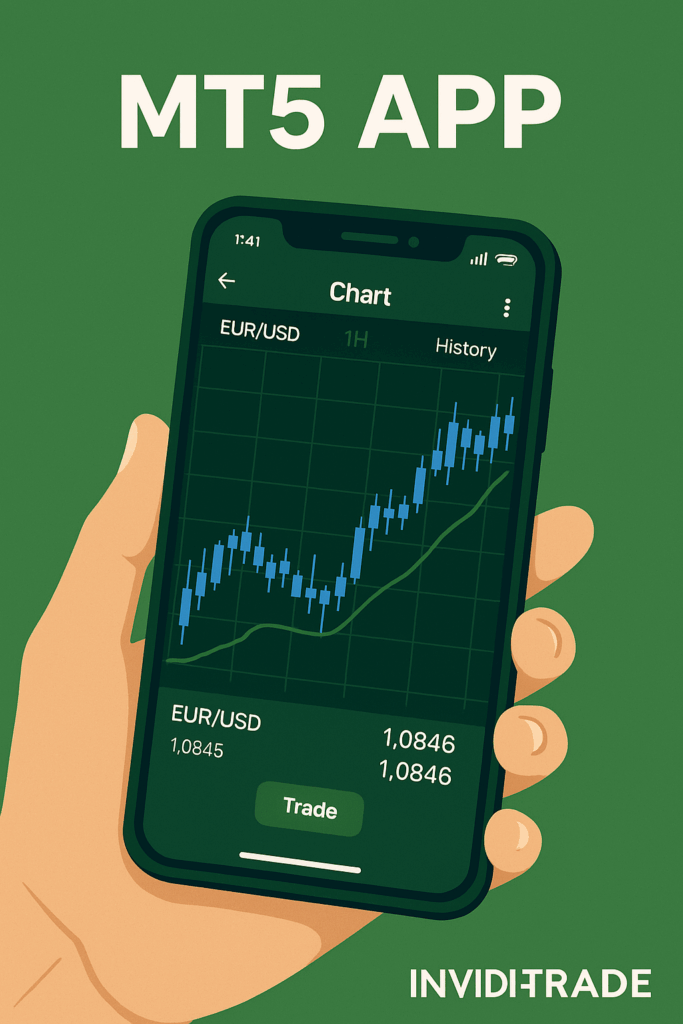
The MT 5 app is the mobile version of MetaTrader 5, a next-generation trading platform created to succeed MetaTrader 4. It provides full access to live markets, advanced charting tools, and multi-asset trading capabilities right from your smartphone or tablet.

Unlike many broker-specific apps that limit you to one broker, MT 5 is broker-agnostic, meaning it connects to hundreds of brokers worldwide who support the MetaTrader 5 infrastructure. This flexibility allows traders to switch or compare brokers while keeping the same interface, tools, and overall trading environment.

The app is available for both Android and iOS and can be connected to demo or live accounts. It mirrors the power of the desktop platform, giving traders near-complete control over their accounts on the go.

2. Why MT5 Became the Standard for Forex Traders

MetaTrader 5 has become the industry’s standard mobile trading platform for good reason. It combines speed, usability, and security — key requirements for today’s high-volume, short-term traders.

Here’s why MT 5 stands out:

  • Multi-market access: Trade forex pairs, indices, metals, energies, and cryptocurrencies from a single login.
  • Instant execution: The app allows fast, reliable order placement even under volatile conditions.
  • Superior charting: With 21 timeframes and 9 chart types, traders can analyze price action with precision.
  • Built-in technical indicators: Over 30 built-in indicators, from RSI and MACD to Bollinger Bands and Fibonacci tools.
  • Depth of market (DOM): For supported brokers, traders can view liquidity and market depth data directly from the app.
  • Integrated alerts and news: Stay updated with customizable push notifications and built-in financial news feeds.

For traders using InvidiaTrade to access the markets, the MT 5 app offers direct connectivity, ultra-low latency order execution, and seamless account management — all from the palm of your hand.

3. How the MT5 App Improves Mobile Trading

Mobile trading used to be a compromise between convenience and functionality. Traders would use their phones to check prices or manage positions but rely on their computers for serious analysis.

With the MT 5 app, that’s changed completely. The app mirrors almost everything you can do on desktop — from complex charting to detailed account management. You can analyze multi-timeframe structures, adjust stops, place pending orders, and even monitor multiple symbols simultaneously.

For traders who rely on precision, MT 5 bridges the gap between mobility and professional control. It lets you act decisively on signals, patterns, or setups you’ve prepared — without waiting until you’re back at your desk.

4. Key Features of the MT5 App

Let’s look in detail at what makes the MT 5 app a complete trading toolset:

  1. Advanced Charting and Technical Analysis
    The app includes three chart types (bar, candlestick, and line) and allows for scaling, zooming, and multi-timeframe analysis. You can easily switch between M1, M5, M15, H1, D1, W1, and other timeframes to view the market from multiple perspectives.
  2. Order Execution and Management
    Traders can open market and pending orders, modify Stop Loss and Take Profit, and close trades directly. The app also supports multiple order types such as Buy Limit, Sell Limit, Buy Stop, and Sell Stop, making it suitable for any trading style.
  3. Account Overview and History
    Every trade, balance update, and margin change is reflected in real time. You can track your open positions, equity, and free margin at a glance.
  4. Indicators and Drawing Tools
    From moving averages to oscillators, MT 5 offers dozens of tools for technical traders. You can draw trend lines, channels, or Fibonacci retracements directly on your screen.
  5. Notifications and Alerts
    Stay informed about market conditions even when you’re not watching charts. You can set price alerts, trade execution notifications, and important account updates as push alerts.
  6. Multi-Device Synchronization
    If you also use the desktop or web version, all changes synchronize instantly across devices. This means you can set up trades on your computer and monitor them through your phone.
  7. Secure Trading Environment
    All data transmitted through the app is encrypted, ensuring that your personal and financial information remains safe.

5. Setting Up the MT5 App

Getting started is simple. Follow these steps:

  1. Download the MT 5 app from your mobile app store.
  2. Open the app and select “Login to an Existing Account.”
  3. Search for your broker’s name and select the correct server.
  4. Enter your trading credentials (login, password, and server).
  5. Once logged in, you’ll see your balance, equity, and chart options.
  6. Customize your interface by adding symbols, choosing timeframes, and applying indicators.

From this point, you can open trades, monitor performance, and analyze markets anytime you like.

6. Trading Forex with the MT5 App

For forex traders, the MT 5 app provides everything needed to trade efficiently:

  • Currency pair variety: You can access major, minor, and exotic pairs.
  • Real-time quotes: Prices update instantly, with clear spread displays.
  • One-tap trading: Execute buy or sell orders directly from the chart.
  • Integrated analytics: Combine fundamental and technical approaches using built-in tools.
  • Position tracking: Review profit and loss for each trade in real time.

Forex markets are dynamic — events, announcements, and liquidity shifts can happen anytime. Having the MT 5 app ensures that you’re never caught off-guard, even when away from your main setup.

metatrader

7. Managing Risk on Mobile

One of the biggest mistakes traders make with mobile platforms is emotional trading. The speed and accessibility of mobile execution can encourage impulsive decisions. That’s why strong risk management habits are essential.

Here are key principles to follow when using the MT5 app:

  • Always define your Stop Loss before entering a position.
  • Use Take Profit levels to lock in gains.
  • Limit leverage to manageable levels.
  • Avoid trading during unstable internet connections.
  • Don’t overtrade simply because you can access the market anywhere.

At InvidiaTrade, we recommend using the MT 5 app primarily for monitoring, managing, and adjusting trades that align with your broader strategy — not for chasing short-term market noise.

8. The Broker’s Role in MT5 Trading

Although the MT 5 app provides the interface, it’s the broker that handles order execution, liquidity, and pricing. That’s why choosing a reputable, regulated broker is vital.

A reliable broker ensures:

  • Fast and accurate trade execution.
  • Transparent spreads and commissions.
  • Stable connection with minimal slippage.
  • Segregated client funds for security.
  • Strong customer support for technical issues.

At InvidiaTrade, we emphasize transparency, reliability, and top-tier trading infrastructure. When paired with the MT 5 app, this creates a professional-grade trading environment suitable for both beginners and experienced traders.

9. MT5 vs. MT4

Many traders wonder whether it’s worth switching from MetaTrader 4 to MetaTrader 5. While MT 4 is still widely used, MT 5 was designed to handle the demands of modern markets and advanced trading strategies.

Key advantages of MT5:

  • Supports more order types and pending orders.
  • Features a faster, multi-threaded engine.
  • Offers a built-in economic calendar.
  • Provides expanded charting capabilities and more timeframes.
  • Enables multi-asset trading beyond forex.

For serious traders looking for flexibility and performance, MT5 is the natural evolution from MT4.

10. Common Mistakes to Avoid When Using the MT5 App

Even a powerful platform like MT 5 can lead to losses if used incorrectly. Avoid these common pitfalls:

  • Trading without a plan: Always have a defined entry and exit strategy.
  • Ignoring risk: Set proper Stop Losses and avoid revenge trading.
  • Overleveraging: The mobile app makes it easy to overextend positions; don’t.
  • Neglecting updates: Always keep your app up to date to prevent glitches.
  • Switching between brokers too often: Stick with one regulated, reliable provider to ensure consistency.

The MT 5 app rewards discipline — the more structured your process, the more value you’ll extract from its tools.

11. Tips for Improving Mobile Trading Performance

  • Use alerts strategically: Set alerts for key price levels or events instead of watching charts all day.
  • Plan trades in advance: Prepare your setups on desktop, then use the mobile app for execution and management.
  • Keep your interface clean: Limit chart clutter and unnecessary indicators.
  • Regularly analyze results: Use the account history section to review your performance each week.
  • Stay connected securely: Use trusted Wi-Fi networks or VPNs when trading abroad.

These small habits make a big difference in your long-term consistency and account growth.

12. The Future of Mobile Forex Trading

The evolution of mobile platforms like the MT 5 app represents a major shift in how traders approach markets. Speed, flexibility, and access to automation tools mean that professional-level trading no longer requires sitting in front of multiple screens.

Mobile platforms will continue to grow, but success still depends on how traders use them. Discipline, patience, and planning remain the foundations of long-term profitability — regardless of device.

InvidiaTrade integrates cutting-edge technology and trusted brokerage solutions to empower traders to manage their portfolios confidently from anywhere in the world.

metatrader

13. Why Professional Traders Choose MT 5

Across the global trading community, the MT 5 app is used by everyone from beginners to institutional professionals. Its popularity comes down to:

  • A unified platform for all assets.
  • Dependable trade execution.
  • Compatibility with Expert Advisors and custom indicators.
  • A clean, efficient interface.
  • Broad broker support and flexibility.

If you are serious about trading and want a platform that grows with you, MT 5 delivers the performance and depth you need.

14. Conclusion

The MT 5 app (MetaTrader 5) is far more than a mobile trading platform — it’s a complete solution for traders who demand precision, flexibility, and reliability. With its advanced charting tools, order types, and cross-device synchronization, MT 5 allows traders to manage positions and analyze markets in real time, anywhere in the world.

For InvidiaTrade clients, the MT 5 app unlocks professional-grade execution on a secure, fast, and fully optimized network. Whether you are trading manually or following structured strategies, MT 5 ensures that you remain connected to the markets at all times.

Trading success depends not just on the platform you use, but on how you use it. Treat the MT 5 app as a powerful instrument — one that, when combined with knowledge, risk discipline, and a trusted broker, can elevate your trading to the next level.

Disclaimer (InvidiaTrade):
Trading forex, CFDs, and other leveraged products carries a high level of risk and may result in the loss of your invested capital. This article is for educational purposes only and should not be considered financial advice. InvidiaTrade does not provide investment recommendations or guarantee trading performance. Always trade responsibly and understand your risks before entering the market.